Cámaras de tráfico del DOT de Florida: su guía para transmisiones en vivo
Encuentre cámaras de tráfico oficiales del DOT de Florida. Aprenda cómo acceder a transmisiones en vivo, solicitar grabaciones para uso legal y proteger su historial de manejo con orientación experta.

Un incidente de tránsito ocurre en cuestión de segundos, pero las consecuencias pueden durar años. Es posible que tenga que lidiar con un choque disputado, una multa de tránsito o un reclamo que no coincide con lo que usted vio en la carretera. La pregunta inmediata es práctica: ¿capturó alguna cámara de tránsito del DOT de Florida cercana las condiciones, el movimiento de carriles, la obstrucción o el dispositivo de control de tránsito involucrado?
Esa grabación puede ayudarle a entender qué sucedió, pero encontrar una transmisión en vivo no es lo mismo que preservar evidencia. La mayoría de las cámaras de tránsito públicas están diseñadas para monitorear las condiciones actuales. Es posible que muestren capturas de pantalla en lugar de video continuo, y un espectador público podría no conservar el material que usted necesitará más adelante. Necesita identificar la cámara correcta, documentar lo que muestra y contactar a un abogado de tránsito con experiencia en Florida antes de asumir que la grabación seguirá disponible.
Los recursos a continuación le brindan un punto de partida directo para el acceso a cámaras estatales, de distrito, del Turnpike, de condados y locales. También explican los límites legales que importan cuando una cámara puede relacionarse con su defensa.
Tabla de contenido
1. Mapa oficial de información de viaje y cámaras de tránsito estatales FL511 de Florida
3. Servicio de mapa de cámaras SunGuide Distrito 6 para Miami-Dade y Monroe
8. Directorio de centros regionales de gestión de transporte del FDOT
9. Piloto de cámaras de tránsito en vivo de Matlacha del DOT del condado de Lee
De la visualización a la defensa: Un enfoque legal estratégico
1. Mapa oficial de información de viaje y cámaras de tránsito estatales FL511 de Florida
FL511 debe ser su primera parada cuando necesite cámaras de tránsito del DOT de Florida en todo el estado. La plataforma reúne vistas de cámaras, incidentes en la carretera, cierres e información de rutas en un solo mapa estatal. Dependiendo de la ubicación y la transmisión, es posible que vea una captura de pantalla actual o una transmisión compatible, así que no asuma que cada cámara proporciona video continuo.
El mapa es útil antes y después de un evento en la carretera. Puede inspeccionar las condiciones a lo largo de una ruta, comparar corredores cercanos y usar Mis Cámaras para guardar ubicaciones y crear rutas. Se requiere iniciar sesión para las funciones de cámaras guardadas, pero la visualización básica sigue siendo la forma más rápida de ubicar una transmisión relevante del FDOT. La interfaz y las opciones de acceso asociadas están disponibles para usuarios en inglés y español.
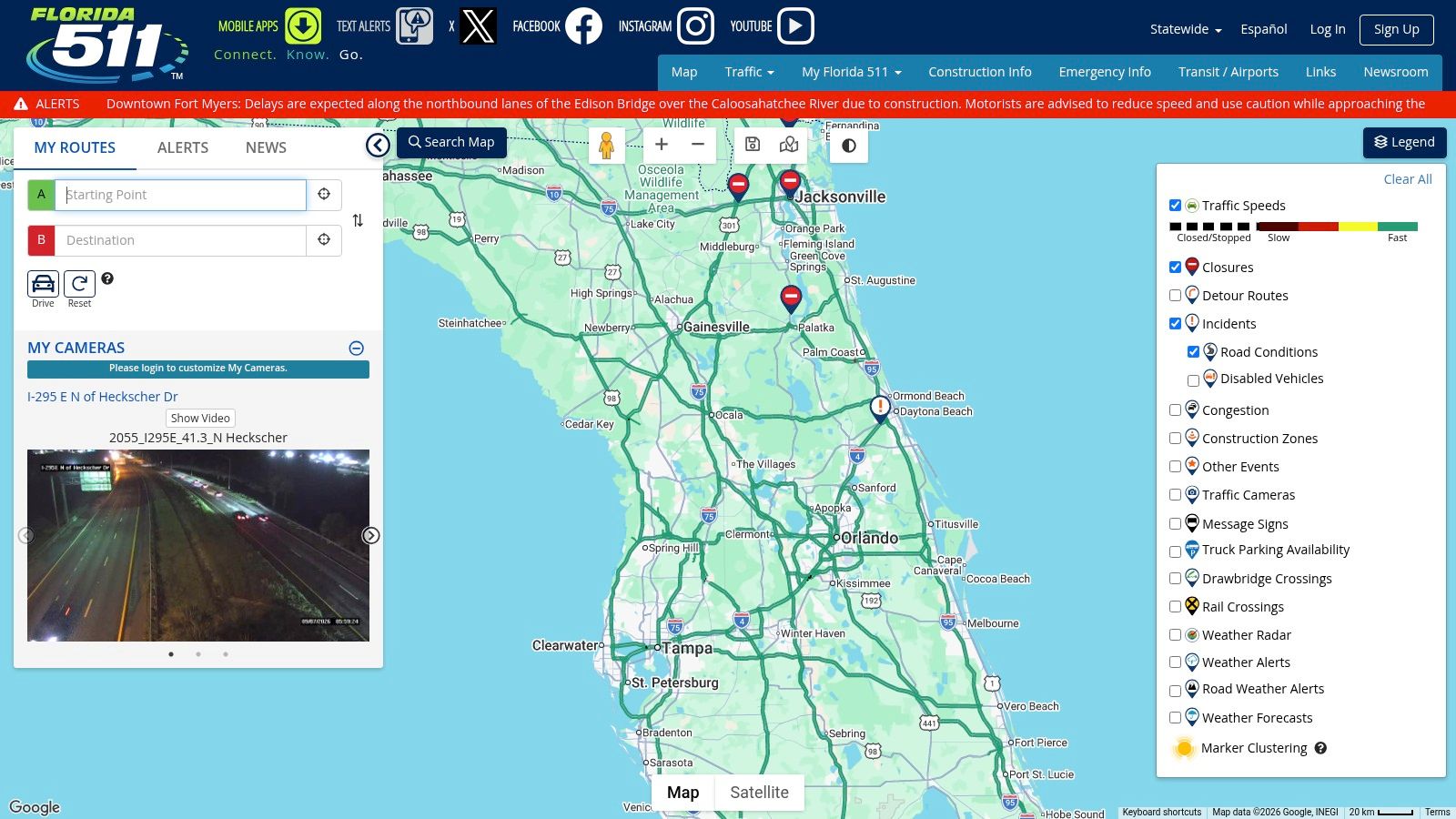
Qué funciona y qué no
La principal ventaja de FL511 es la coordinación. El FDOT mantiene la plataforma como un recurso de información para el viajero a nivel estatal, y su red de cámaras opera a través de la plataforma SunGuide, que ha estado en uso desde 2005 y brinda soporte a los administradores de transporte en 13 centros de gestión de transporte. El resumen de SunGuide del FDOT identifica cámaras, señales de mensaje dinámico, detectores de vehículos y herramientas de gestión de incidentes como parte de ese entorno operativo.
La limitación es la cobertura. No todas las vías arteriales tienen una cámara, y una imagen actual puede no probar lo que ocurrió antes. Si se está desarrollando una multa o una disputa por un choque, guarde el nombre de la cámara, la carretera, la dirección, la fecha y la información de la hora visible. Para obtener representación en relación con una multa en Florida, revise los servicios para multas de tránsito de Ticket Shield antes de confiar en una transmisión pública que podría desaparecer.
2. Página del programa FL511 del FDOT
La página del programa FL511 del FDOT no es un visor en vivo. Es el centro oficial del programa que explica la función de FL511, los canales de acceso, la implementación en todo el estado y las capacidades de las cámaras. Úsela cuando necesite antecedentes oficiales para un archivo de seguro, una consulta legal o una solicitud por escrito a una agencia.
Esa distinción es importante. Un mapa en vivo le ayuda a ubicar una cámara rápidamente. La página del programa del FDOT le ayuda a identificar el sistema detrás del mapa y a comprender por qué una transmisión puede presentarse como una captura de pantalla en lugar de un video continuo. También proporciona enlaces a recursos web y móviles oficiales, lo que reduce el riesgo de confiar en un agregador no oficial con fuentes poco claras.
Úsela para establecer la fuente
Para un conductor, el valor de la página es la verificación. Puede registrar que la cámara provino de un sistema FL511 asociado al FDOT, y luego conservar una captura de pantalla de la vista del mapa correspondiente y de la etiqueta de la cámara. Una captura de pantalla por sí sola no establecerá que exista una grabación archivada, pero crea un registro contemporáneo de lo que encontró y dónde lo encontró.
Regla práctica: Una imagen pública en vivo es una pista, no automáticamente evidencia judicial.
La página es menos útil cuando necesita visibilidad inmediata de la carretera. No reemplaza el mapa interactivo de FL511 y no mostrará todas las cámaras locales. Combine la documentación oficial del programa con el visor real, y luego hable con un abogado si la cámara puede respaldar una defensa, una solicitud de registros públicos o una disputa sobre lo que sucedió.
3. Servicio de mapa de cámaras SunGuide Distrito 6 para Miami-Dade y Monroe
Una parada de tránsito o una disputa en la carretera en el sur de Florida puede depender de lo que era visible cerca del lugar. Los conductores en los condados de Miami-Dade y Monroe pueden comenzar con el servicio de mapa de cámaras SunGuide Distrito 6, que brinda una vista específica de la región de las cámaras en autopistas y vías rápidas. Complementa a FL511 al enfocarse en las carreteras dentro del área de operación de este distrito.
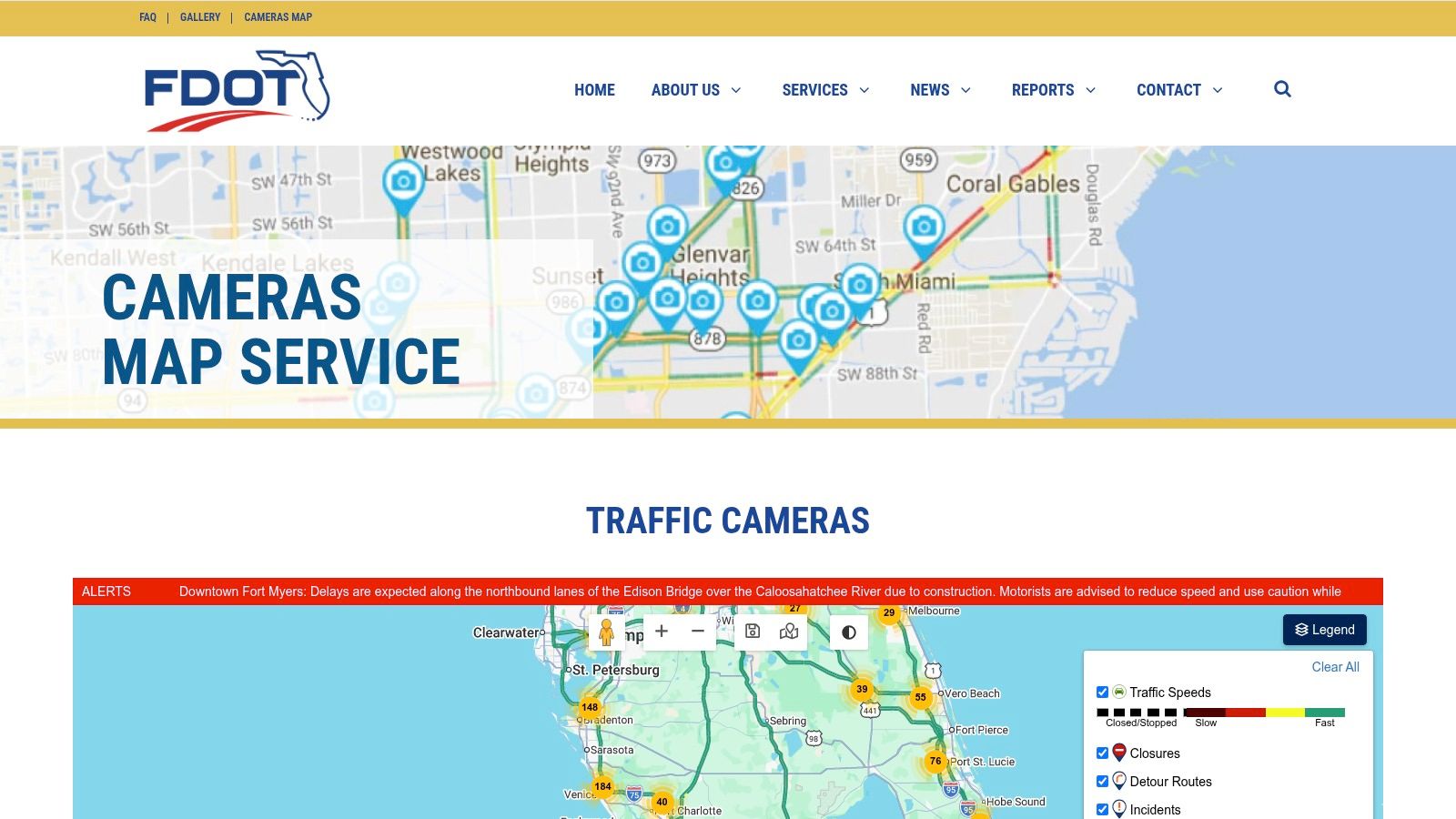
Use la vista del distrito para ubicar la cámara correcta
El enfoque local ahorra tiempo cuando el evento ocurrió en Miami-Dade o Monroe. En lugar de filtrar un mapa estatal, puede buscar dentro del área de servicio relevante, identificar cámaras cercanas y revisar la información del sistema de tránsito local o los contactos del distrito. Esos detalles pueden ayudarle a determinar qué agencia podría controlar un corredor antes de realizar una solicitud de registros.
El FDOT describe que el Distrito 6 utiliza más de 400 cámaras de CCTV en los condados de Miami-Dade y Monroe. La información de cámaras de tránsito del noroeste de Florida de la agencia también distingue las cámaras de monitoreo de tránsito de las cámaras de control de infracciones. Esa distinción es importante. Una cámara visible en un mapa público puede ayudar a establecer la ubicación y las condiciones, pero no registra automáticamente una infracción ni preserva la grabación para un uso posterior.
Use FL511 para viajes estatales y use el mapa del Distrito 6 cuando el incidente ocurra dentro de su área local. Si una cámara puede respaldar su defensa, registre de inmediato su ubicación exacta, dirección, hora mostrada y las características de la carretera cercana. Luego, contacte a un abogado de tránsito con experiencia. Un abogado puede evaluar las reglas de retención, los procedimientos de solicitud, los plazos y si la grabación puede respaldar su caso.
4. Transmisiones en vivo de Florida's Turnpike Enterprise
Para viajar por el Turnpike, el servicio de transmisión en vivo de Florida's Turnpike ofrece una experiencia más enfocada en el corredor que un mapa estatal general. El servicio proporciona listados de cámaras, un reproductor de transmisión donde sea compatible y funciones de reproducción multicámara que le ayudan a monitorear las condiciones a lo largo del sistema del Turnpike.
La interfaz enfocada es útil durante un viaje activo o un incidente en el Turnpike. Puede desplazarse por los listados de cámaras, inspeccionar ubicaciones cercanas y comparar vistas a lo largo de un corredor sin tener que filtrar carreteras locales no relacionadas. Complementa a FL511, especialmente cuando el Turnpike es la ruta central en cuestión.
La limitación de la evidencia permanece
Una transmisión del Turnpike sigue siendo principalmente una herramienta de información para el viajero. Las opciones de reproducción en un visor no significan necesariamente que la agencia haya preservado un archivo probatorio para su fecha y hora específicas. No confunda la capacidad de ver una transmisión ahora con la capacidad de recuperar el mismo material más adelante.
Si está en juego una multa por exceso de velocidad u otro asunto de tránsito relacionado con el Turnpike, revise el servicio de abogados para multas por exceso de velocidad en Florida de Ticket Shield y conserve los detalles de la cámara antes de contactar a cualquier persona. Anote la carretera, la dirección, el intercambio más cercano, el identificador de la cámara y la hora que muestra el visor. Esos detalles le dan al abogado un punto de partida más útil que una declaración general de que había una cámara cerca.
5. Cámaras de tránsito en vivo del condado de Palm Beach
Un choque, un movimiento de semáforo disputado o una multa en una vía arterial del condado de Palm Beach pueden depender de condiciones que una búsqueda enfocada en autopistas no muestra. Las cámaras de tránsito EN VIVO del condado de Palm Beach brindan a los conductores acceso a vistas de intersecciones locales, incluidos corredores semaforizados y calles locales.
Use el mapa para verificar los accesos cercanos, las zonas de construcción, las rutas de zonas escolares y la dirección de viaje. Registre la ubicación de la cámara, la carretera, la hora visible y las condiciones del tránsito. Luego, compare el área con FL511 u otra información del FDOT para identificar el segmento de carretera correcto. Esa comparación puede aclarar lo que muestra una cámara, pero no crea un registro histórico.
Trate el acceso en vivo y la evidencia como asuntos separados
El condado describe estas como vistas de cámara solo en vivo sin grabación. Es posible que una vista disponible ahora no se pueda recuperar más adelante, y la página pública no establece que exista un archivo para la fecha y hora de su incidente. Capture los detalles relevantes de inmediato, pero no presente una imagen actual como si fuera la grabación del evento anterior.
Una cámara visible tampoco tiene automáticamente autoridad de control. La ley de Florida distingue el monitoreo de tránsito público de los detectores de infracciones de tránsito y los sistemas de detección de velocidad. Debido a que el estatuto que rige la colocación de detectores y el aviso público implica requisitos técnicos, los conductores que enfrentan una multa relacionada con una cámara deben revisar los recursos de defensa de tránsito en Florida de Ticket Shield con un abogado experimentado antes de confiar en suposiciones sobre el equipo o la grabación.
6. Gestión de tránsito y CCTV del condado de Hillsborough
Los conductores del área de Tampa pueden usar la página de Gestión de Tránsito y CCTV del Condado de Hillsborough para acceder a información de tránsito local y transmisiones de CCTV en vivo de propiedad del FDOT. La página proporciona contexto operativo, explica el propósito de las cámaras e incluye información sobre el personal y contactos locales.
Ese contexto hace que el portal sea más útil que un directorio de cámaras anónimo. Puede identificar si una vista se canaliza a través de un sistema del FDOT, comprender que la transmisión está destinada al monitoreo en vivo y determinar qué agencia local podría ser relevante para una pregunta sobre el corredor. Algunos enlaces pueden redirigirlo a interfaces del FDOT, por lo que la experiencia de visualización no siempre será uniforme.
Los usuarios del área de Tampa necesitan un enfoque de dos fuentes
Comience con el condado de Hillsborough cuando el incidente haya ocurrido en una carretera local del área de Tampa. Luego, verifique FL511 para ver si el mismo corredor tiene una cámara del FDOT o una superposición de incidentes. Comparar ambos puede ayudarle a identificar el segmento de carretera preciso, pero no crea un registro histórico por sí mismo.
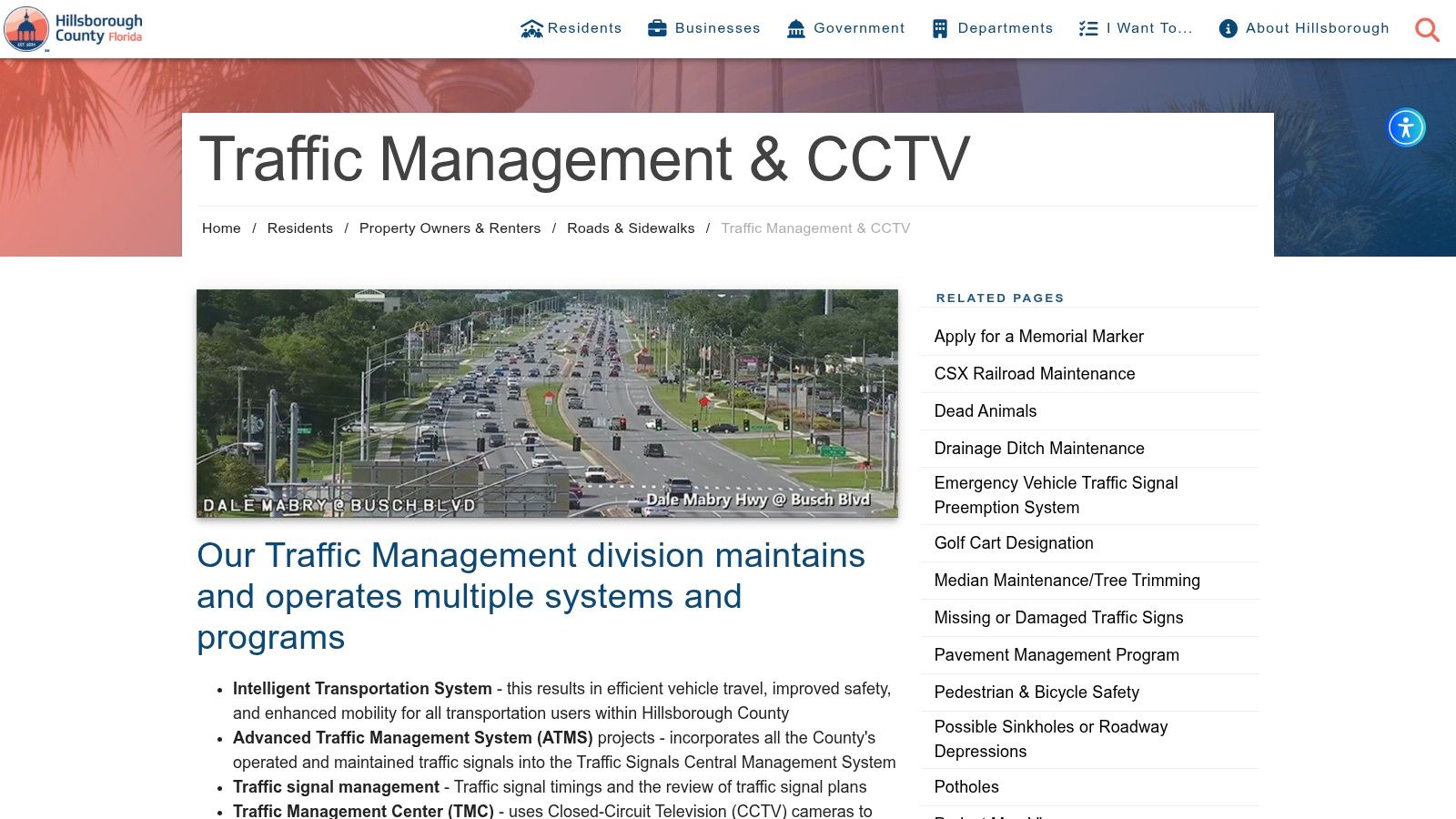
Una cámara que ayuda a los operadores de tránsito a responder a la congestión puede no registrar la evidencia que un conductor necesita para su defensa.
Si una cámara puede tener relación con una acusación sobre un dispositivo de control de tránsito, conserve la página pública y obtenga asesoramiento legal rápidamente. El Estatuto de Florida § 316.0076 reserva expresamente al estado la regulación del uso de cámaras para hacer cumplir las leyes de tránsito del Capítulo 316. Esto significa que no debe confiar en suposiciones informales sobre lo que un condado puede autorizar o cómo se puede usar una cámara.
7. Portal de tránsito D4 del Distrito 4 del FDOT
El portal de tránsito del Distrito 4 del FDOT cubre Broward, Palm Beach y la Costa del Tesoro. Le brinda una vista a nivel de distrito de las operaciones de tránsito, la ubicación de las cámaras y los incidentes reportados, lo que puede estrechar su búsqueda cuando ocurra una colisión o una presunta infracción en el sureste de Florida.
Comience con el portal cuando necesite identificar el distrito responsable o ubicar una vista específica de un corredor. Algunas páginas pueden redirigir a FL511, y la disponibilidad puede cambiar durante el mantenimiento. Guarde la carretera, la dirección, la etiqueta de la cámara y la hora de visualización mientras la transmisión esté disponible, luego conserve capturas de pantalla u otros registros permitidos. Esos pasos pueden ayudar a su abogado a evaluar si la grabación respalda su versión, aunque una vista pública en vivo no garantice que exista un video histórico.
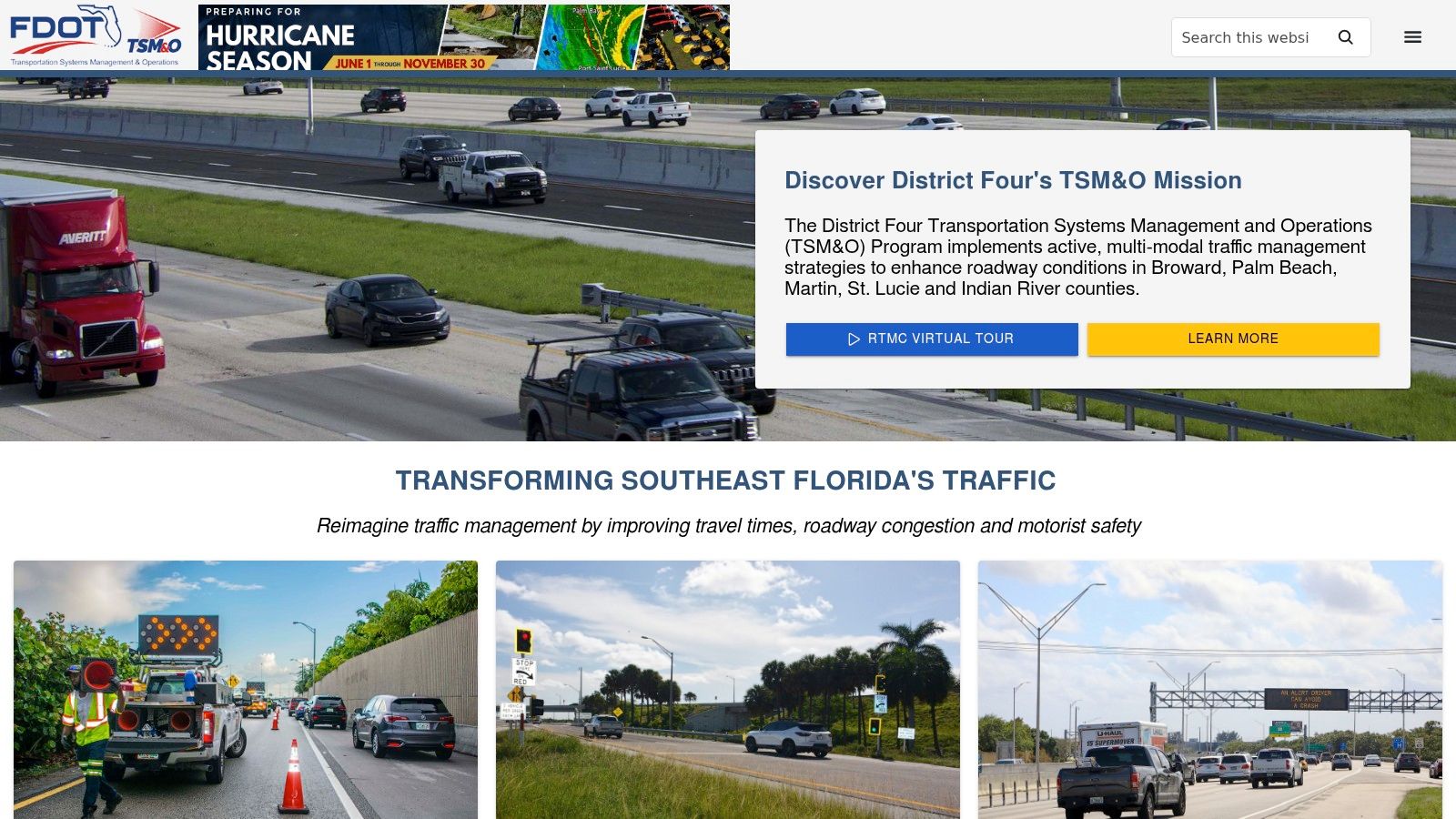
Separe la ubicación de la cámara de la prueba legal
Un portal de distrito puede mostrar dónde opera una cámara. No establece que la grabación haya sido registrada, preservada o que sea legalmente utilizable en un caso de control de tránsito. Las acusaciones sobre dispositivos de control de tránsito y el control de velocidad pueden involucrar reglas diferentes, así que revise la guía sobre infracciones de dispositivos de control de tránsito antes de confiar en una transmisión.
El Estatuto de Florida § 316.1896 aborda los sistemas de detección de velocidad municipales o del condado en zonas escolares, incluidas las disposiciones sobre multas, apelaciones, privacidad e informes. Una cámara de tránsito general del FDOT no es intercambiable con ese sistema estatutario. Si su caso involucra una acusación de velocidad en una zona escolar, la guía legal de un experto puede ayudar a determinar qué reglas y evidencia se aplican.
8. Directorio de centros regionales de gestión de transporte del FDOT
El directorio de centros regionales de gestión de transporte del FDOT le ayuda a identificar el distrito o centro que opera un corredor de cámaras. No es un visor en vivo. En su lugar, explica cómo los centros regionales utilizan SunGuide, cámaras, señales de mensaje dinámico y FL511 para distribuir información de tránsito a los automovilistas.
Este directorio es valioso cuando la ubicación de la cámara es clara pero el centro operativo responsable no lo es. Los abogados, las aseguradoras, los administradores de flotas y el personal de emergencia pueden usar la información distrito por distrito para dirigir una consulta enfocada en lugar de enviar una solicitud estatal vaga. Un conductor puede usarlo para conservar el nombre de la agencia probable antes de que su abogado comience una solicitud de evidencia.
Construya un registro preciso antes de llamar
Registre la carretera, la dirección de viaje, la calle transversal o intercambio más cercano, la etiqueta de la cámara y la fecha y hora en que observó la transmisión. Luego, identifique el distrito a través del directorio. Esa información no garantizará la preservación, pero le da al abogado una base concreta para preguntar a la agencia adecuada sobre la retención y disponibilidad.
La red está coordinada en lugar de ser puramente local. El FDOT señala que SunGuide respalda las operaciones basadas en cámaras en 13 centros de gestión de transporte, mientras que el sistema de cámaras estatal ha sido estimado por una fuente de mapas independiente en aproximadamente 4,881 cámaras de tránsito en vivo del FDOT en los siete distritos del FDOT. El mapa independiente de cámaras de Florida muestra mayores concentraciones en Miami, Orlando, Tampa Bay y Jacksonville. Estas cifras ilustran la escala, no la promesa de que exista una cámara en su ubicación exacta.
Para obtener orientación sobre incidentes de tránsito en Florida, consulte el recurso sobre leyes de accidentes de tránsito en Florida de Ticket Shield y obtenga asesoramiento legal antes de hacer suposiciones sobre lo que prueba una transmisión pública.
9. Piloto de cámaras de tránsito en vivo de Matlacha del DOT del condado de Lee
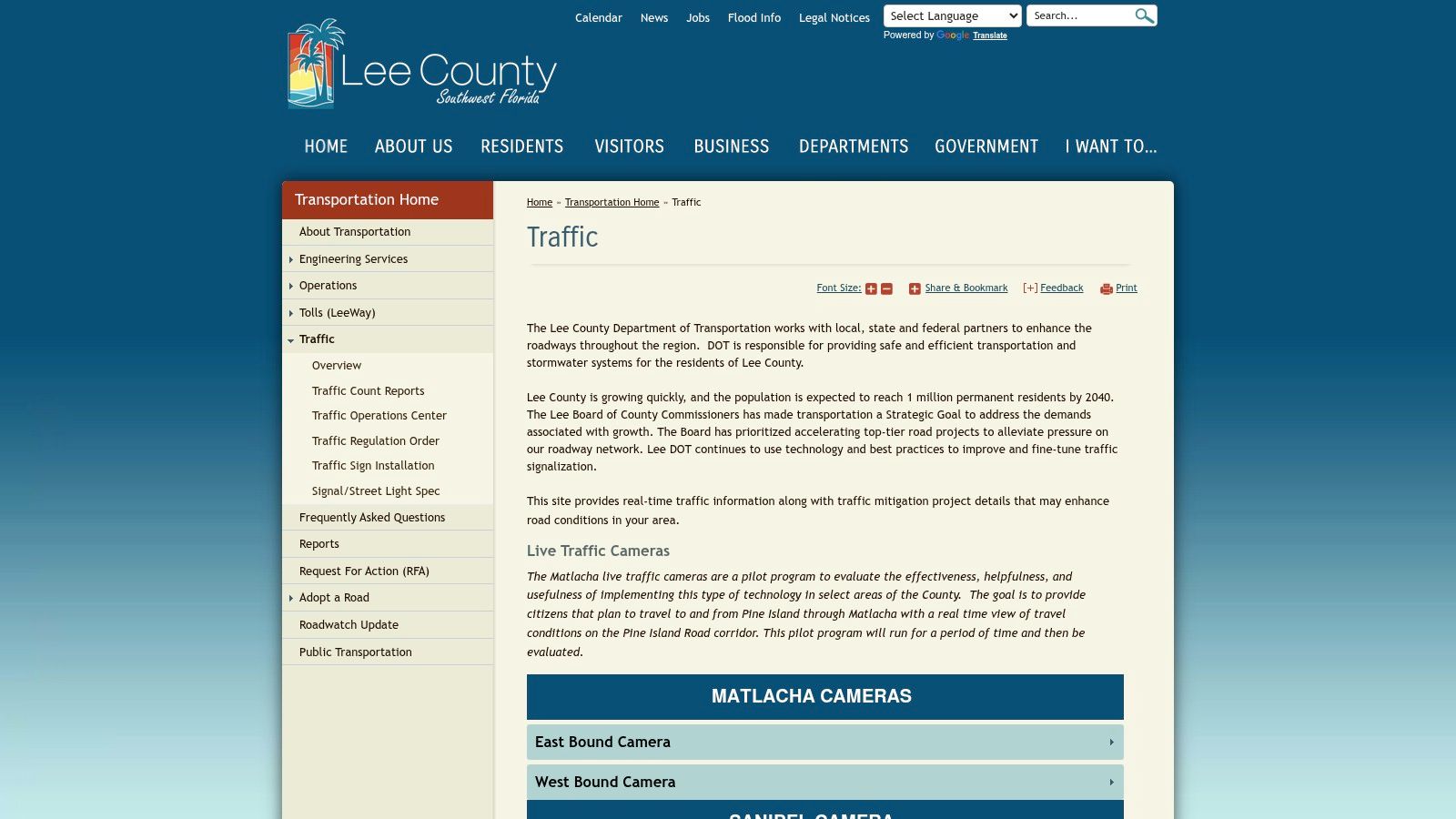
La página de tránsito del DOT del condado de Lee incluye información de cámaras en vivo para el área de Matlacha a través de un programa piloto. Este recurso hiperlocal puede ser útil cerca de los accesos a puentes y corredores cercanos donde un mapa de autopistas estatal podría no proporcionar el nivel de visibilidad local que necesita.
El formato piloto es importante. Un piloto puede cambiar a medida que el condado evalúa la ubicación de las cámaras, la utilidad pública y las necesidades operativas. La cobertura puede ser limitada y la disponibilidad puede variar a medida que se desarrolla el proyecto. Eso convierte a la página en un recurso específico, no en un reemplazo de FL511 ni en una garantía de acceso histórico.
Use las transmisiones hiperlocales con precaución
Una cámara local puede mostrar la congestión en un puente, las condiciones de los carriles o el impacto relacionado con una evacuación mientras planifica su viaje. También puede ayudarle a determinar si una cámara estaba posicionada para observar la carretera en cuestión. Pero la vista de un corredor no identifica automáticamente un vehículo, no establece las acciones del conductor ni preserva la secuencia de los hechos.
Si la cámara se relaciona con una multa o un incidente disputado, guarde la página y contacte a un abogado de tránsito de Florida. El valor legal depende del ángulo de la cámara, la calidad de la imagen, el momento, las prácticas de la agencia y si el material aún existe. Una consulta rápida y específica es mucho más útil que esperar hasta que la transmisión pública haya cambiado.
10. Documentación y actualizaciones de FL511 del FDOT
La documentación de FL511 y las actualizaciones técnicas públicas del FDOT ayudan a explicar cómo el sistema presenta la información de las cámaras. Estos materiales analizan las capacidades admitidas de Mostrar Video, el comportamiento de captura de pantalla frente a transmisión de video continuo y la función de SunGuide en la gestión de las operaciones de cámaras y video.
Use esta fuente cuando necesite un contexto preciso del sistema en lugar de otro visor. Puede ayudarle a explicar por qué una ubicación muestra una transmisión de video mientras que otra produce una imagen fija, o por qué una interfaz pública podría no exponer un archivo. La documentación técnica también es útil cuando un abogado está preparando una consulta enfocada a la agencia o evaluando si vale la pena buscar una fuente de cámara.
La documentación no es preservación
Una nota técnica puede describir cómo funciona un sistema, pero no prueba que exista una grabación específica. Trátela como información de contexto. Su registro de evidencia aún debe incluir el nombre de la cámara, la ubicación, la dirección, la hora mostrada, capturas de pantalla y una descripción clara de lo que observó.
El marco legal de Florida también cambió de manera significativa. El Capítulo 316 dispone que la sección 316.0077 se aplica a los contratos celebrados a partir del 1 de julio de 2025, e incluye reglas relacionadas con la adquisición de sistemas de detección de infracciones de tránsito. El texto del capítulo de los Estatutos de Florida también establece que los detectores en carreteras estatales requieren el permiso del Departamento de Transporte y que la colocación e instalación en carreteras del condado o municipales deben seguir las especificaciones del DOT.
No asuma que la presencia de una cámara responde a la pregunta legal. Identifique su propósito, determine qué agencia la opera y deje que un abogado evalúe la evidencia y el estatuto aplicable.
Comparación de cámaras de tránsito del DOT de Florida
Recurso | Características principales | Cobertura y confiabilidad | Mejor uso / Valor | Público objetivo | Puntos únicos |
|---|---|---|---|---|---|
FL511 (Mapa de tránsito estatal de Florida) | Mapa de cámaras en vivo, favoritos, planificación de rutas, superposiciones de incidentes | ★★★★★ estatal, actualizaciones frecuentes | 💰 Gratis, centro principal de cámaras estatales para viajes/alertas | 👥 Automovilistas estatales, agencias, planificadores | 🏆 Fuente oficial del FDOT ✨ favoritos y rutas |
Página del programa FL511 del FDOT | Resumen del programa, alcance, enlaces a recursos de FL511 | ★★★★☆ antecedentes oficiales (no es un visor) | 💰 Gratis, contexto del programa y multas | 👥 Creadores de políticas, medios de comunicación, profesionales | 🏆 Centro oficial del programa ✨ detalles de implementación |
SunGuide Distrito 6 – Servicio de Mapa de Cámaras | Mapa de cámaras del distrito, contexto de TSM&O, enlaces de transmisiones | ★★★★☆ Enfoque en Miami‑Dade y Monroe, mantenido por el distrito | 💰 Gratis, acceso local a cámaras del sur de FL | 👥 Viajeros diarios del sur de FL, operaciones de tránsito | ✨ Perspectiva operada por el distrito 🏆 específica de la región |
Florida's Turnpike Enterprise – Transmisiones en vivo | Transmisiones de cámaras del Turnpike, lista de cámaras, reproducción multicámara | ★★★★☆ Centrado en el Turnpike, sólida transmisión en corredores | 💰 Gratis, monitoreo de viajes e incidentes en el Turnpike | 👥 Conductores del Turnpike, administradores de flotas | ✨ Reproducción multicámara de corredores |
Condado de Palm Beach – Cámaras de Tránsito en Vivo | Cámaras a nivel de intersección, mapa navegable, filtros de región | ★★★★☆ Sólida cobertura local de vías arteriales y zonas escolares | 💰 Gratis, visibilidad de calles locales que complementa a FL511 | 👥 Automovilistas de Palm Beach, planificadores locales | ✨ Vistas a nivel de intersección |
Condado de Hillsborough – Gestión de Tránsito y CCTV | Enlaces a CCTV en vivo, información de personal, contexto de TMC | ★★★☆☆ Transmisiones locales de Tampa; las interfaces varían | 💰 Gratis, acceso para viajeros locales + información de políticas | 👥 Viajeros diarios de Tampa Bay, agencias | ✨ Horas de atención del personal y preguntas frecuentes |
Distrito 4 del FDOT – Portal de Tránsito D4 | Operaciones de distrito, vistas de cámaras e incidentes, enlaces de RTMC | ★★★★☆ Operaciones regionales en Broward/Palm Beach/Costa del Tesoro | 💰 Gratis, detalles del corredor regional e incidentes | 👥 Automovilistas del sureste de FL, operaciones de tránsito | 🏆 Alineado con RTMC ✨ información detallada del D4 |
Directorio RTMC del FDOT | Contactos de distrito, descripciones generales de centros, notas de flujo de datos | ★★★★☆ Directorio estatal para contactos operativos | 💰 Gratis, encuentre el centro operativo para la coordinación | 👥 Abogados, aseguradoras, flotas, gestores de emergencias | ✨ Asigna cámaras a centros operativos |
DOT del Condado de Lee – Cámaras de Tránsito en Vivo de Matlacha (piloto) | Cámaras en vivo integradas, actualizaciones del proyecto, evaluación piloto | ★★★☆☆ Piloto hiperlocal; ubicaciones limitadas | 💰 Gratis, monitoreo local de puentes/evacuación | 👥 Residentes de Fort Myers/Cape Coral | ✨ Piloto hiperlocal para la resiliencia |
Documentación / actualizaciones de FL511 del FDOT | Comunicados de prensa, notas técnicas, función de SunGuide | ★★★★☆ Información técnica oficial (no es un visor) | 💰 Gratis, establece expectativas; citación legal/técnica | 👥 Ingenieros, abogados, profesionales de operaciones | 🏆 Documentos técnicos oficiales ✨ guía de video frente a captura de pantalla |
De la visualización a la defensa: Un enfoque legal estratégico
Una cámara de tránsito puede mostrar la intersección después de una multa, pero la imagen mostrada puede desaparecer antes de que pueda usarla. Los conductores de Florida deben tratar estas transmisiones como pistas, no como evidencia garantizada. Las preguntas clave son qué capturó la cámara, quién la operaba, si se retuvo algo y cómo solicitarlo legalmente.
Las cámaras de tránsito públicas generalmente admiten el monitoreo en vivo en lugar del almacenamiento de evidencia permanente. Una imagen actual puede no ofrecer un archivo para la fecha y hora de su incidente. Si la grabación pudiera existir, identifique el distrito operativo, la carretera, la dirección de viaje y la hora precisa. Puede ser necesario realizar una solicitud formal de registros públicos, una solicitud de preservación o un proceso de litigio, especialmente cuando una agencia plantea límites de retención, de sistema o de acceso.
La evidencia de cámaras puede ser importante en una disputa sobre dispositivos de control de tránsito, incluido un asunto relacionado con el Estatuto de Florida § 316.074. Aun así, requiere un manejo cuidadoso. Una grabación útil debe ser ubicada, preservada, autenticada y vinculada con la presunta infracción.
Separe las cámaras de monitoreo público de los detectores de infracciones de tránsito y sistemas de detección de velocidad. Sirven para propósitos diferentes y se rigen por requisitos distintos. La ley de Florida aborda la autoridad local sobre la aplicación del Capítulo 316, junto con asuntos como la autorización, el aviso, la colocación, la instalación, las apelaciones, la privacidad y los informes. La información sobre cámaras del FDOT describe el propósito de monitoreo público, mientras que la sección 316.0776 aborda los requisitos y avisos de los detectores. No asuma que una vista de carretera en vivo prueba los mismos hechos que un registro de control automatizado.
Para obtener más información, revise Ayuda con las cámaras de luz roja de Florida y obtenga orientación legal antes de confiar en una imagen o hacer admisiones.
Las aplicaciones automatizadas para combatir multas y los intermediarios de multas de bajo costo no pueden investigar a un operador, preservar grabaciones, emitir una solicitud enfocada ni abordar la admisibilidad. Esas tareas requieren un abogado que pueda evaluar la multa, la evidencia y las consecuencias en conjunto.
Ticket Shield, PLLC utiliza un modelo dirigido por abogados. Puede comunicarse directamente con su abogado por teléfono o mensaje de texto y recibir orientación basada en su caso en Florida. Ese acceso es importante cuando una transmisión puede desaparecer, una agencia necesita una solicitud precisa o las consecuencias para su licencia y su seguro están en riesgo.
No arriesgue su historial de manejo con un algoritmo. Proteja su licencia y su futuro. Visite TicketShield.com ahora para una consulta confidencial y gratuita, y permita que abogados experimentados busquen el objetivo final de "Sin Puntos" en su licencia.
Visite Ticket Shield, PLLC para obtener una consulta gratuita sobre una multa de tránsito en Florida o un problema de evidencia relacionado con cámaras. Puede hablar directamente con su abogado por teléfono o mensaje de texto y obtener una defensa estratégica enfocada en proteger su licencia y buscar Sin Puntos.